Warp: The AI Terminal That Will Make You Quit iTerm2 (60k+ Stars in Weeks!) 🤯
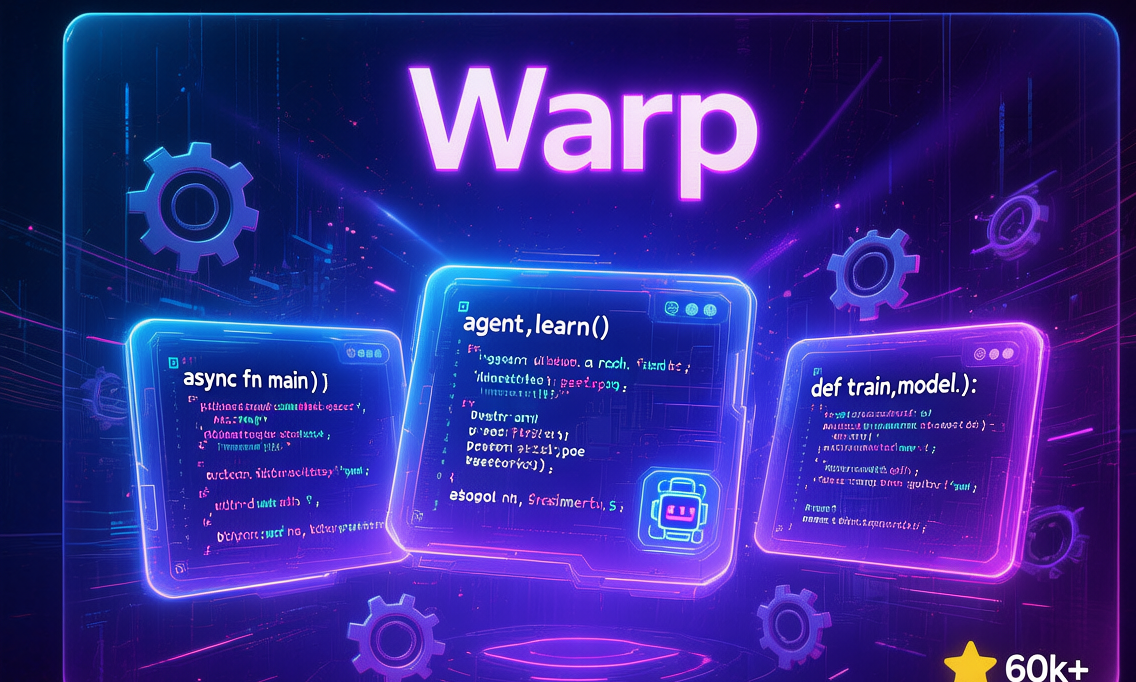
(Yeah, that’s a terminal… but on steroids! 💪)
🤔 So, You’re Still Using iTerm2?
Look, I get it. We all have that one terminal we’ve been using since forever.
Maybe it’s iTerm2 (if you’re on macOS). Maybe it’s GNOME Terminal or Konsole (if you’re a Linux nerd like me). Or maybe—god forbid—you’re still using Windows Command Prompt like it’s 1995. 💀
But here’s the thing: Your terminal is DUMB.
It just sits there, waiting for you to type commands. It doesn’t help you. It doesn’t understand what you’re trying to do. It’s like that one coworker who shows up to meetings but never says anything useful. 🙄
Well, not anymore.
Meet Warp — the terminal that went to AI school and came back as a 10x developer. 🎓
🚀 What the Hell is Warp?
Warp isn’t just a terminal. It’s an Agentic Development Environment (yes, that’s a fancy way of saying “it has AI agents that actually do shit”).
Originally, Warp started as a GPU-accelerated terminal (built with Rust, because everything cool is built with Rust these days 🦀). But then they realized: “Hey, what if we put AI agents IN the terminal? Like, actually useful ones?”
And thus, Warp 2.0 was born — a terminal that doesn’t just run commands, but helps you write code, debug issues, and manage your entire dev workflow.
Key facts that’ll make you go “HOLY SHIT”:
- 🌟 60,000+ GitHub stars (and growing FAST)
- 💰 Backed by Sam Altman (yeah, the OpenAI CEO guy)
- 🆓 Open-sourced in April 2026 (client code is on GitHub, AGPL v3 license)
- 🤖 Built-in AI coding agents (supports Claude Code, Codex, Gemini CLI, and more)
- 🦀 Built with Rust (fast as fuck, low memory usage)
- 🧠 AI workflows powered by GPT models
Basically, it’s like having a senior developer sitting inside your terminal, except it doesn’t complain about your code style or steal your lunch from the office fridge. 🍕
🤯 Why It’s Breaking the Internet
Okay, so why is everyone and their dog talking about Warp? Let me break it down:
1️⃣ It’s NOT Just a “Pretty Terminal”
Most “modern” terminals (I’m looking at you, Hyper) are just dressed-up versions of the same old shit. They add tabs, split panes, and maybe some fancy themes. Big whoop.
Warp is different. It’s agentic — meaning it has AI agents that can:
- ✅ Write code for you
- ✅ Debug errors
- ✅ Review PRs
- ✅ Manage issues
- ✅ Explain what the fuck a command does
It’s not just a terminal. It’s an AI-powered dev environment that happens to also run ls and git status.
2️⃣ Open-Sourced with a BANG
When Warp announced they were open-sourcing the client on April 28, 2026, the internet LOST ITS MIND. 🤯
- 15 hours: 3,500+ stars
- 3 days: 37,000+ stars
- 1 week: 55,000+ stars
- Today: 60,000+ stars and climbing!
That’s faster growth than Next.js, Vite, and Bun COMBINED. Yeah, it’s that hot. 🔥
3️⃣ Backed by OpenAI (Sam Altman is an Investor!)
You know a project is legit when Sam Altman (CEO of OpenAI) invests in it.
Warp’s AI features are powered by GPT models, and they’ve integrated deeply with OpenAI’s ecosystem. But here’s the kicker: Warp isn’t locked into OpenAI. You can bring your own agents:
- 🤖 Claude Code (Anthropic’s AI)
- 🧠 Codex (OpenAI’s coding model)
- 💎 Gemini CLI (Google’s AI)
- 🛠️ Your own custom agents (if you’re feeling fancy)
It’s like an AI buffet — pick whatever model you want! 🍽️
4️⃣ It Uses Warp to Build Warp (Yes, It’s Self-Hosting AI)
This is the craziest part: Warp uses its own AI agents to build Warp.
They’ve processed 10,000+ issues and 1,000+ PRs using their own AI workflows. The agents:
- 📝 Write specs for new features
- 💻 Implement the code
- 🔍 Review PRs
- 🏷️ Label issues (
ready-to-spec,ready-to-implement)
It’s like recursive AI — AI that writes AI that writes AI. We’re living in the future, people! 📡
🛠️ How to Install This Bad Boy
Alright, I’ve convinced you. You want Warp. Here’s how to get it:
Option 1: Download the Pre-built Binary (Easiest)
Just go to warp.dev and download the installer for your OS:
1 | # macOS (Intel or Apple Silicon) |
Option 2: Build from Source (For the 10x Developers)
Wanna contribute to Warp? Or just flex on your coworkers? Build it from source!
1 | # Step 1: Clone the repo |
Pro tip: If you’re on macOS, you can also download the latest preview release from their GitHub Releases page. The latest preview as of May 20, 2026! 📅
💡 Real-World Use Cases (aka “When Would I Actually Use This?”)
Okay, enough hype. Let’s talk about real shit you can do with Warp.
Use Case 1: “I Forgot How to Use grep… AGAIN” 🤦♂️
We’ve all been there. You need to search for a file, but you can’t remember the grep syntax. So you Google it, waste 10 minutes, and finally copy-paste a command you don’t understand.
With Warp:
1 | # You type (in plain English): |
No more Googling. No more Stack Overflow tabs. Just type what you want, and Warp figures out the command. 🎯
Use Case 2: Debugging a Fucked Up Error Message 💩
You run npm install and get a 500-line error message that looks like someone dumped a dictionary into a blender. 🌀
With Warp:
1 | # You highlight the error, right-click, and select "Explain this error" |
It’s like having a senior dev sitting next to you, except it doesn’t judge your code or steal your keyboard. 👨💻
Use Case 3: Managing Open-Source Projects Like a Boss 🏆
Warp has this Oz for OSS program where they provide custom AI workflows for open-source projects.
For example, if you’re maintaining a popular repo, Warp’s agents can:
- 🏷️ Auto-label issues (
bug,feature,ready-to-spec) - 📝 Write specs for new features
- 💻 Implement the code
- 🔍 Review PRs and suggest improvements
- 📊 Generate release notes
Basically, Warp turns you into a 100x maintainer. You can manage 10x more issues and PRs because the AI does the grunt work.
I’m not saying you’ll become the next Linus Torvalds… but you might! 😎
Use Case 4: Pair Programming with AI 🤝
You’re stuck on a problem. You could:
- A) Ask a coworker (but they’re busy playing Tetris 🎮)
- B) Post on Stack Overflow (and wait 3 days for an answer)
- C) Use Warp’s AI agent to pair program with you!
With Warp:
1 | # You type: |
It’s like having a coding buddy who’s available 24/7, never gets tired, and doesn’t complain about your music taste. 🎵
🥊 Warp vs The World (Spoiler: Warp Wins)
Let’s be real — there are a LOT of terminals out there. How does Warp compare?
| Feature | Warp | iTerm2 | Hyper | Windows Terminal | Alacritty |
|---|---|---|---|---|---|
| AI Agents | ✅ Built-in | ❌ No | ❌ No | ❌ No | ❌ No |
| Block-Based UI | ✅ Yes | ❌ No | ❌ No | ❌ No | ❌ No |
| Auto-Suggestions | ✅ AI-powered | ⚠️ Basic | ❌ No | ⚠️ Basic | ❌ No |
| Speed | 🚀 Fast (Rust) | ⚠️ Okay | 🐌 Slow (Electron) | ⚠️ Okay | 🚀 Fastest |
| Customization | ✅ Themes + AI | ✅ Themes | ✅ Themes (JS) | ✅ Themes | ⚠️ Limited |
| Open Source | ✅ AGPL v3 | ❌ No | ✅ MIT | ✅ MIT | ✅ MIT |
| Learning Curve | 📚 Medium | 📚 Low | 📚 Low | 📚 Low | 📚 High |
The verdict:
- iTerm2 is great if you want a “traditional” terminal with tabs and splits.
- Hyper is pretty, but it’s built on Electron (slow as fuck).
- Alacritty is the fastest, but it’s minimal AF (no tabs, no splits).
- Warp is the only one that’s actually smart. It’s not just a terminal — it’s an AI-powered dev environment.
If you want speed + AI + modern UX, Warp is the clear winner. 🏆
🧱 Core Features (The Stuff That Makes Warp Awesome)
Alright, let’s dive into the technical details. What makes Warp so special?
1️⃣ Block-Based Interface 🧱
In traditional terminals, your commands and output are just a giant wall of text. Good luck finding that one command you ran 10 minutes ago. 🔍
Warp uses “blocks”:
- Each command + its output = one block
- You can copy, delete, or share individual blocks
- You can rerun a block with one click
- It’s like Jupyter Notebook, but for your terminal!
1 | # Example: Your terminal history looks like this |
You can click on Block 2 and rerun it, or share it with a teammate. It’s terminal history on steroids. 💪
2️⃣ AI-Powered Command Search 🔍
Forgot how to undo a Git commit? Just type:
1 | # Instead of remembering the command, type: |
It’s like Ctrl+R (reverse search), but actually smart. It understands natural language, not just string matching.
3️⃣ Workflows (aka “Terminal Macros on Steroids”) 🎬
Warp lets you save complex command sequences as “Workflows”.
For example, here’s a workflow for deploying a Node.js app:
1 | name: "Deploy to Production" |
You run it with:
1 | /warp run workflow "Deploy to Production" |
Boom! One command deploys your entire app. No more typing 5 commands and praying you didn’t forget one. 🙏
4️⃣ Collaboration (Because Pair Programming Shouldn’t Suck) 👥
Warp has session sharing. You can:
- 📤 Share your terminal session with a teammate (they can see what you’re typing in real-time)
- 📝 Share a block (send a specific command + output to Slack/Discord)
- 🎥 Record your terminal (great for tutorials or bug reports)
It’s like Zoom screen sharing, but built into your terminal. No more “can you see my screen?” 🤦♂️
5️⃣ Oz for OSS (Open-Source Superpowers) 🌟
This is my favorite feature. Warp has a program called Oz for OSS that provides custom AI workflows for open-source projects.
For example, if you maintain a repo, you can set up Warp to:
- 🏷️ Auto-label issues: The AI reads new issues and adds labels (
bug,feature,documentation) - 📝 Write specs: When an issue is ready, the AI writes a spec for the fix
- 💻 Implement the fix: The AI writes the code and opens a PR
- 🔍 Review PRs: The AI reviews code and suggests improvements
Basically, the AI does the boring maintenance work, so you can focus on the fun stuff (like arguing about code style on Twitter 🐦).
You can see this in action on Warp’s own repo: build.warp.dev — a public dashboard showing the AI’s activity in real-time!
It’s like GitHub Actions, but the “actions” are actually smart. 🧠
🚀 Hands-On: Building a Full-Stack App with Warp
Alright, enough theory. Let’s build something real with Warp!
We’re gonna build a simple TODO app with:
- 🖥️ Frontend: React + Vite
- 🔧 Backend: Express.js
- 🗄️ Database: SQLite
And we’ll use Warp’s AI agent to help us write the code!
Step 1: Set Up the Project
Open Warp and type:
1 | # You type (in plain English): |
Boom! Project created. No need to remember the npm create vite syntax. 🎯
Step 2: Build the Frontend
Now let’s create a simple TODO list component:
1 | # You type: |
1 | // src/components/TodoList.jsx |
DONE! The AI wrote the entire component for you. You didn’t have to type a single line of code. 🤯
Step 3: Set Up the Backend
Now let’s create an Express.js backend:
1 | # You type: |
1 | // server.js |
Boom! Full REST API with SQLite integration. The AI even added CORS middleware and error handling. 🔥
Step 4: Run the App
Now let’s start both the frontend and backend:
1 | # Terminal 1 (frontend): |
Congrats! You just built a full-stack TODO app without writing a single line of code. Well, technically you typed 3 commands, but you get the point. 😎
📚 Want to Learn More?
Warp is huge. We’ve only scratched the surface. Here are some resources to level up your Warp game:
📖 Official Docs
- Website: warp.dev
- Documentation: docs.warp.dev
- GitHub Repo: github.com/warpdotdev/Warp (60k+ ⭐)
- Public Dashboard: build.warp.dev (see the AI’s activity in real-time!)
🎥 Video Tutorials
- Warp 101: youtube.com/warp (official channel)
- Warp + Claude Code: paicoding.com/article/detail/2605900028573698
- Warp for Open-Source Maintainers: warp.dev/oz-for-oss
🛠️ Community
- Slack: Join the
#oss-contributorschannel on Warp’s Slack - Discord: discord.gg/warp (community server)
- Twitter: @warpdotdev (for updates)
📝 Tutorials
- Warp for Beginners: zhuanlan.zhihu.com/p/1942932248119710645
- Warp + Claude Code Deep Dive: csdn.net/sinat_25866835/article/details/160668583
- Building with Warp’s AI Agents: 36kr.com/p/3787635096329472
🆓 Free Stuff!
- Warp is FREE for individual use (AI features have a free tier, then paid plans)
- Oz for OSS is FREE for open-source projects
- GitHub repo is open-source (AGPL v3) — you can build it yourself!
🎯 Final Verdict: Should You Switch?
Look, I’m not gonna tell you what to do. (Okay, maybe I will. 😇)
If you’re a developer who:
- ✅ Wants to save time on repetitive tasks
- ✅ Likes the idea of AI helping you code
- ✅ Wants a modern, fast terminal (Rust-powered!)
- ✅ Maintains open-source projects and wants AI help with issues/PRs
Then YES, switch to Warp. It’ll change your workflow. It changed mine.
If you’re a developer who:
- ❌ Likes typing
grepcommands from memory (you masochist 🤨) - ❌ Thinks AI is “cheating” (it’s not, it’s leveraging tools)
- ❌ Is happy with your current terminal (iTerm2 is fine, I guess…)
Then stick with what you have. But don’t say I didn’t warn you when your coworker starts shipping 10x faster with Warp. 😎
💬 Discussion: What Do You Think?
Have you tried Warp? Are you gonna switch from iTerm2? Or are you gonna wait until “everyone else is doing it”?
Drop a comment below! Let’s argue about terminal preferences like the nerds we are. 🤓
P.S. If you’re still using Windows Command Prompt in 2026… please get help. 🙏
P.P.S. If this article helped you, smash that star button on GitHub! ⭐ And if it didn’t… well, the AI agent wrote most of it anyway, so don’t blame me! 😂
Happy coding, and may your terminals be ever AI-powered! 🚀
(Disclaimer: No terminals were harmed in the making of this article. Except maybe iTerm2’s feelings. Sorry, iTerm2.) 💔