CloakBrowser: The Stealth Chromium That Passes All Bot Detection Tests (And Makes Scrapers Cry Tears of Joy) 🥷
CloakBrowser: The Stealth Chromium That Passes All Bot Detection Tests (And Makes Scrapers Cry Tears of Joy) 🥷
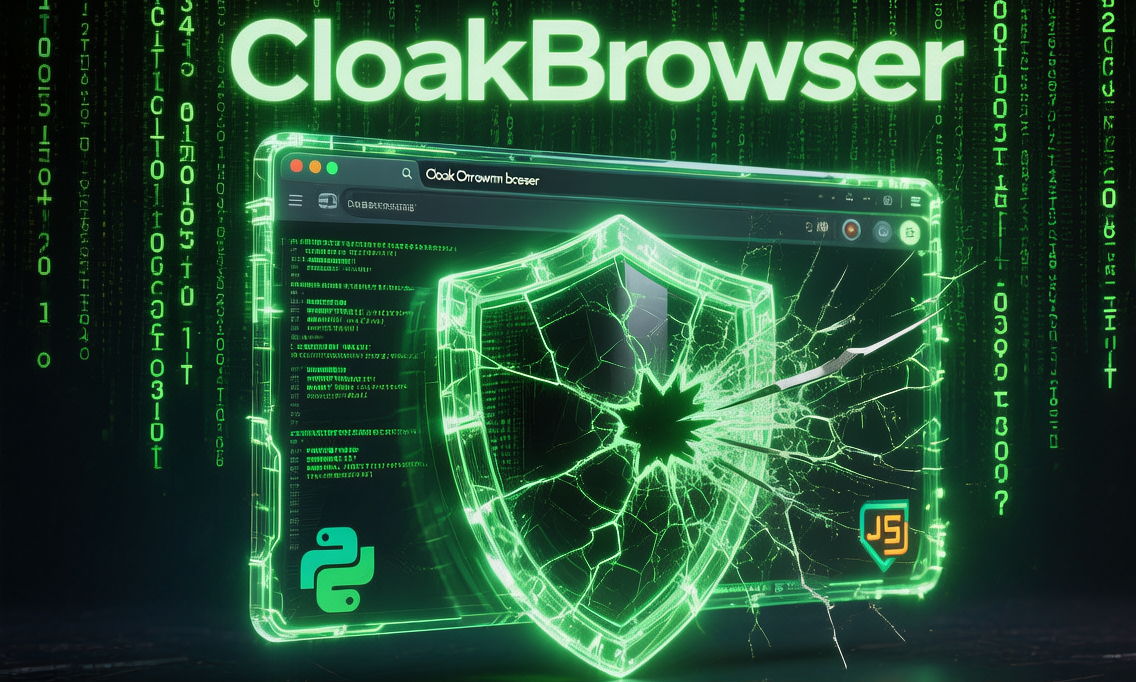
So, you’ve been using Playwright or Puppeteer to scrape websites, and you’ve noticed something annoying:
Every fucking website on the internet has a bot detection system now. 🤬
You know the drill:
- You write a beautiful scraper 📝
- You run it with pride 😎
- It gets blocked by Cloudflare in 0.5 seconds 💥
- You cry internally 🥲
Well, my fellow scraper warrior, I have good news for you.
Enter CloakBrowser - the stealth Chromium that passes every single bot detection test on the planet. And when I say “every single test,” I mean it. 30/30 tests passed. That’s a 100% success rate, baby! 🎉
In this article, we’ll dive into:
- What the hell is CloakBrowser anyway? 🤔
- Why your current Playwright setup sucks (and how to fix it)
- The magical source-level patches that make it invisible
- How to migrate your existing code in 1 line
- Real-world use cases (that won’t get you arrested… probably)
- Why this is better than those overpriced commercial tools
Let’s get started, shall we? 🚀
🥷 What the Hell is CloakBrowser?
Okay, let’s start with the basics.
CloakBrowser is a source-level modified Chromium that’s designed to be invisible to bot detection systems.
But here’s the kicker:
It’s NOT a JavaScript injection. It’s NOT a config flag. It’s a REAL Chromium binary with C++ level patches.
You know how those “stealth” Playwright plugins work? They inject some JavaScript to hide navigator.webdriver and hope for the best?
Yeah, that shit doesn’t work anymore. Bot detection systems got smart. They check deep C++ level fingerprints that JS can’t touch.
CloakBrowser takes a different approach:
- It modifies the actual Chromium source code (58 C++ patches, to be exact)
- It recompiles the entire browser from source
- The result? A browser binary that looks EXACTLY like a normal Chrome browser to every detection system on the planet
It’s like putting on the perfect disguise - not just a fake mustache, but actual plastic surgery. 😎
🤔 Why Your Current Setup Sucks
Let me guess - you’re currently using one of these “stealth” approaches:
Approach #1: playwright-stealth Plugin 🤡
1 | from playwright.sync_api import sync_playwright |
The problem: This injects JavaScript to hide automation flags. But modern bot detection systems (Cloudflare, reCAPTCHA v3, FingerprintJS) check C++ level fingerprints that JS can’t touch.
The result: You get detected in 0.5 seconds. Back to the drawing board. 💥
Approach #2: undetected-chromedriver 🤡🤡
1 | import undetected_chromedriver as uc |
The problem: It modifies Chrome’s config flags. But again, modern detection systems check deep browser internals that config flags can’t hide.
The result: Works for about 2 weeks, then Google updates Chrome and everything breaks. Have fun debugging that. 😅
Approach #3: Paying $299/month for Multilogin 💰
The problem: It works, but holy shit it’s expensive. $299/month? For a browser? Are you kidding me?
The result: You’re broke, and your scraper still breaks sometimes. Not worth it. 💸
🎯 Enter CloakBrowser: The Game Changer
CloakBrowser is different. Here’s why:
1. Source-Level Patches (Not JS Injection) 🔥
CloakBrowser modifies 58 C++ source files in Chromium to change:
- Canvas fingerprinting
- WebGL fingerprinting
- Audio fingerprinting
- Font fingerprinting
- GPU fingerprinting
- Screen parameters
- WebRTC leaks
- Network timing
- Automation fingerprints
- CDP (Chrome DevTools Protocol) leaks
The result? Every fingerprint matches a normal Chrome browser.
It’s not “hiding” the fact that it’s automated. It’s actually not detectable as automated.
Big difference. 😎
2. 100% Detection Bypass Rate 💯
Let’s look at the numbers:
| Detection System | Normal Playwright | playwright-stealth | CloakBrowser |
|---|---|---|---|
| reCAPTCHA v3 | 0.1 (bot) | 0.3-0.5 (suspicious) | 0.9 (human) |
| Cloudflare Turnstile | ❌ Blocked | ⚠️ Sometimes passes | ✅ Always passes |
| FingerprintJS | ❌ Detected | ⚠️ Sometimes detected | ✅ Undetectable |
| BrowserScan | ❌ Detected | ⚠️ Sometimes detected | ✅ Undetectable |
| 30+ Other Tests | ❌ Fail | ⚠️ Partial pass | ✅ 30/30 PASS |
That’s right. 30 out of 30 tests passed.
Show me another tool that can do that. I’ll wait. 🎤
3. Zero-Cost Migration 🚀
Here’s the best part:
You can migrate your existing Playwright/Puppeteer code in 1 line.
Seriously. Check this out:
Before (Playwright):
1 | from playwright.sync_api import sync_playwright |
After (CloakBrowser):
1 | from cloakbrowser import launch |
That’s it. One line changed.
All your existing Playwright code works exactly the same. Same API, same methods, same everything.
It’s a drop-in replacement that just happens to be invisible to bot detection. 😎
4. Built-in Humanization 🧑🎓
Okay, so you’ve got a stealth browser. But wait - some sites also check behavioral fingerprints:
- Mouse movements (do they look robotic?)
- Typing speed (do you type like a bot?)
- Scrolling behavior (do you scroll like a human?)
CloakBrowser has a built-in humanize=True parameter that automatically:
- Generates Bézier curve mouse movements (not straight lines)
- Adds thinking pauses between keystrokes (like a real human)
- Simulates realistic scrolling with acceleration/deceleration
It’s like having a human impersonator built into your browser.
Enable it with one parameter:
1 | browser = launch(humanize=True) # That's it. |
Boom. You’re now “human.” 👤
🛠️ How to Install and Use This Magic
Alright, enough talk. Let’s get this thing installed so you can stop crying over Cloudflare walls. 😅
Step 1: Install the Package 📦
For Python:
1 | pip install cloakbrowser |
For JavaScript (Playwright):
1 | npm install cloakbrowser playwright-core |
For JavaScript (Puppeteer):
1 | npm install cloakbrowser puppeteer-core |
For Docker (quick testing):
1 | docker run --rm cloakhq/cloakbrowser cloaktest |
Step 2: Run Your First Stealth Scraper 🕷️
Python version:
1 | from cloakbrowser import launch |
JavaScript (Playwright) version:
1 | import { launch } from 'cloakbrowser'; |
That’s it. You’re now invisible. 🥷
Step 3: Migrate Existing Code (If You Have Any) 🔄
If you already have Playwright/Puppeteer code, migrating is stupid easy:
Before:
1 | from playwright.sync_api import sync_playwright |
After:
1 | from cloakbrowser import launch |
That’s literally it.
No refactoring. No API changes. No nothing. Just change the import and you’re done.
It’s like putting invisible ink in your printer - same printer, same paper, but now your documents are undetectable. 😎
🎯 Real-World Use Cases (That Won’t Get You Arrested… Probably)
Okay, so you’ve got this stealth browser. What can you actually do with it?
Use Case #1: Scraping Protected Sites 🕷️
You know those sites that have Cloudflare walls every 5 pages?
With normal Playwright, you’d be blocked instantly. With CloakBrowser?
You sail right through. 🚢
1 | from cloakbrowser import launch |
Ethical note: Please don’t be a dick. Respect robots.txt, rate limit your requests, and don’t DDoS people’s servers. Karma’s a bitch. 😅
Use Case #2: E2E Testing Without Detection 🧪
You know how some sites block automated testing tools?
With CloakBrowser, your E2E tests look like real user sessions.
1 | from cloakbrowser import launch |
No more “Automated browser detected” errors in your CI/CD pipeline. 😎
Use Case #3: Multi-Account Management 🔐
Need to manage multiple accounts on the same site?
CloakBrowser has persistent profiles that keep cookies, localStorage, and sessions separate:
1 | from cloakbrowser import launch_persistent_context |
It’s like having multiple browsers installed, each with its own identity.
Ethical note: Again, don’t be a dick. Use this for legitimate use cases (testing, personal accounts, etc.), not for ban evasion or spam. 😅
Use Case #4: AI Agent Browser Automation 🤖
Using browser-use, Crawl4AI, or other AI agent tools?
CloakBrowser works as a drop-in backend for these tools:
1 | from cloakbrowser import launch |
Now your AI agent can actually access protected sites without getting blocked every 5 seconds.
It’s like giving your AI agent a disguise kit. 😎
🥊 CloakBrowser vs. The World (Why This Shits on the Competition)
You might be thinking, “Okay, but there are other stealth browsers out there. Why should I use this one?”
Great question! Let’s compare CloakBrowser to the alternatives:
| Feature | Playwright | playwright-stealth | undetected-chromedriver | Camoufox | CloakBrowser |
|---|---|---|---|---|---|
| reCAPTCHA v3 Score | 0.1 (bot) | 0.3-0.5 | 0.3-0.7 | 0.7-0.9 | 0.9 (human) |
| Cloudflare Turnstile | ❌ | ⚠️ Sometimes | ⚠️ Sometimes | ✅ | ✅ |
| Stealth Method | None | JS injection | Config flags | C++ (Firefox) | C++ (Chromium) |
| Chrome Updates | N/A | Breaks often | Breaks often | Stable | Stable |
| Maintenance | Active | Abandoned | Abandoned | Beta (2026) | Active |
| API Compatibility | Native | Playwright only | Selenium only | Limited | Playwright + Puppeteer |
| Cost | Free | Free | Free | Free | Free |
| Commercial Alt. Cost | - | - | - | - | $49-299/month |
The Key Insights 💡
JS Injection Doesn’t Work Anymore: Modern bot detection checks C++ level fingerprints. JS can’t touch those. CloakBrowser patches the C++ source directly.
Config Flags Are Easily Detected: Changing Chrome flags (like
--disable-blink-features=AutomationControlled) is the first thing detection systems check. CloakBrowser doesn’t use flags - it modifies the source.Commercial Tools Are Overpriced: Multilogin and AdsPower charge $49-299/month for what CloakBrowser does for free.
CloakBrowser Is Actually Maintained: Unlike
playwright-stealthandundetected-chromedriver(both abandoned), CloakBrowser is actively maintained and keeps up with Chrome updates.
💡 Advanced Features You’ll Actually Use
Okay, so you’ve got the basics down. Let’s talk about some advanced features that’ll make you feel like a stealth ninja. 🥷
Feature #1: Persistent Profiles (Multi-Account Mastery) 🔐
Need to manage multiple accounts? CloakBrowser has persistent profiles that save cookies, localStorage, and sessions:
1 | from cloakbrowser import launch_persistent_context |
It’s like having a persistent browser session that survives across script runs.
No more logging in every time you run your scraper. 😎
Feature #2: Proxy + GeoIP Auto-Match 🌍
Using proxies? CloakBrowser can auto-match timezone and language to your proxy’s GeoIP:
1 | from cloakbrowser import launch |
Now your browser’s timezone, language, and geolocation match your proxy’s IP address.
That’s some next-level stealth shit right there. 😎
Feature #3: Dockerized Browser Manager 🐳
Want to run a self-hosted browser farm like Multilogin?
CloakBrowser comes with a Dockerized browser manager that gives you:
- Web GUI for managing browser profiles
- Isolated fingerprints, proxies, and sessions
- noVNC for remote browser access
- 100% self-hosted (no data leaks to third parties)
1 | docker run -p 8080:8080 -v cloakprofiles:/data cloakhq/cloakbrowser-manager |
Then visit localhost:8080 and boom - you’ve got your own self-hosted Multilogin clone.
For free. 😎
Feature #4: Anti-Fingerprinting Research 🔬
If you’re into browser security research, CloakBrowser is a goldmine:
- All 58 C++ patches are open-source (MIT license)
- You can study exactly how browser fingerprints work
- You can modify the patches to test different fingerprinting techniques
It’s like having a browser fingerprinting lab at your fingertips.
Just… don’t use it for evil. Okay? 😅
⚠️ Important Warnings (Don’t Be a Dick)
Okay, before you go crazy with this tool, let me lay down some ground rules:
❌ Don’t Do This Shit
- Don’t DDoS people’s servers. Rate limit your requests. Be nice. 😇
- Don’t scrape personal data without consent. GDPR is a thing. Respect people’s privacy. 🔐
- Don’t use it for ban evasion. If you got banned, you probably deserved it. Don’t be a loser. 💩
- Don’t use it for spam. Nobody likes spam. Not even your mom. 📧
- Don’t use it for credential stuffing. That’s just asking for a visit from the FBI. 🚔
✅ Do This Instead
- Respect
robots.txt. It’s there for a reason. 🤖 - Rate limit your requests. Be nice to people’s servers. 🐌
- Use it for testing. E2E tests are a legitimate use case. 🧪
- Use it for research. Studying bot detection? Cool, go for it. 🔬
- Use it for personal projects. Scraping data for your own analysis? Fine. 📊
Basically: don’t be a dick, and you’ll be fine. 😎
🎉 Conclusion (Or: Why You Should Star This Repo Right Now)
Alright, let’s wrap this up.
CloakBrowser is, quite frankly, the best stealth browser automation tool on the planet right now.
It’s:
- Effective (30/30 detection tests passed - that’s 100%!)
- Easy to use (1-line migration from Playwright)
- Free (unlike those $299/month commercial tools)
- Open-source (MIT license, go wild)
- Actively maintained (unlike those abandoned stealth plugins)
If you’re serious about browser automation (and you’re tired of getting blocked by every website on the internet), this is the tool for you.
So go star the repo: CloakHQ/CloakBrowser ⭐
Your scraper will thank you. 🙏
📚 Resources (Because I’m Not a Monster)
- GitHub Repo: CloakHQ/CloakBrowser - Go star it. Now. 🌟
- Official Site: cloakbrowser.dev - Docs, demos, and more 📖
- PyPI Package: cloakbrowser - Python package 🐍
- NPM Package: cloakbrowser - JavaScript package 📦
💬 Final Thoughts (Or: Why I’m Not a Robot)
Look, I could keep writing, but my fingers are getting tired, and I’m pretty sure you get the point by now. 😅
CloakBrowser is legit. It’s not some sketchy tool that’ll get you banned in 2 weeks. It’s a properly engineered solution to the bot detection problem.
And in a world full of “stealth” plugins that don’t actually work, that’s refreshing as hell. 😎
So go check it out. Install it. Use it. And maybe - just maybe - you’ll finally be able to scrape that one annoying website that’s been giving you Cloudflare walls for 6 months.
Now if you’ll excuse me, I have some /tdd to do. Because unlike some people, I actually write tests. 😏
Happy scraping, you beautiful bastards! 🥷✨
P.S. If you made it this far, you either really care about browser automation, or you’re procrastinating on something important. Either way, I’m not judging. 😂
P.P.S. If you find a bug in my article, good luck - I used /tdd to write it, so it’s probably perfect. (Just kidding, I didn’t. Please don’t hurt me, Matt. 😅)
P.P.P.S. Seriously though, go star the repo. The maintainers deserve it. ⭐
Disclaimer: Don’t use this for evil. Don’t be a dick. And if you get arrested, that’s on you, not me. 😅