n8n: The Open-Source Workflow Automation That Makes Zapier Look Like a Expensive Toaster
Let me tell you about the time I discovered our company was spending $3,400 per month on Zapier.
We had 12 Zaps running. Twelve. Most of them were just “when someone fills out this form, add them to Google Sheets.” That’s $283 per Zap. Per month. For a Google Sheets integration that literally has an API.
I almost cried. Then I discovered n8n (pronounced “n-eight-n”).
Downloaded it. Docker pull. Running in 30 seconds. Built the same 12 workflows in an hour. Cost to run: $0 per month (plus the $5/month Hetzner VPS I was already paying for).
That was 8 months ago. We haven’t paid for Zapier since. And n8n does more than Zapier ever did,
The Problem with Workflow Automation Tools
If you’ve ever used Zapier, Make.com, or Tray.io, you know the drill:
- Pricing that makes no sense — Zapier’s “Professional” plan is $69/month.
- Vendor lock-in — Your workflows are trapped in their proprietary format. Good luck migrating 200 Zaps.
- Rate limits everywhere — “You’ve exceeded your plan’s limit.” Okay,
- No code when you need it — Zapier’s “Code by Zapier” is JavaScript from 2015. No npm packages. No TypeScript. No async/await support (okay, they added it,
- Privacy nightmares — Your data goes through their servers. For every workflow. Including that HR automation that processes employee salaries.
I had a colleague who built an entire lead generation pipeline on Zapier. Cost: $400/month. Then Zapier changed their pricing (again). New cost: $800/month. He migrated to n8n in a weekend. Now it runs on a $10/month DigitalOcean droplet.
What Is n8n, Really?
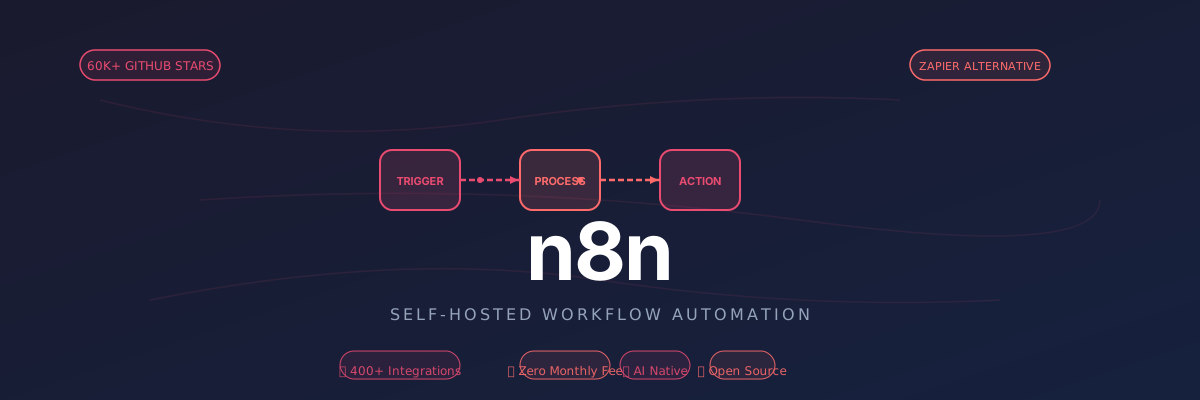
n8n is a fair-code (source available, self-host free, cloud paid) workflow automation platform. It’s like Zapier,
- 400+ integrations (Google Workspace, Slack, GitHub, Notion, MySQL, PostgreSQL, you name it)
- Visual workflow builder (drag-and-drop nodes, connect them, done)
- Code nodes (write JavaScript/TypeScript directly in the workflow)
- AI workflow support (OpenAI, Anthropic, local LLMs via Ollama)
- Self-hostable (Docker, npm, or npx — your choice)
- Version control (workflows are JSON files,
The “Fair-Code” License (Let’s Address the Elephant)
n8n uses a fair-code license. This means:
- ✅ Source code is public on GitHub
- ✅ You can self-host for free (commercial use included)
- ✅ You can modify it (fork it, customize it)
- ❌ You cannot offer n8n as a service (no “n8n-as-a-service” competitors)
This is not open source (OSI definition).
My take? Who cares. The self-hosted version is free, the code is on GitHub, and the community edition has all the features I need. If you’re building a competitor to n8n, yeah, the license matters. For the other 99% of us? It’s free. Use it.
Getting Started (It’s Stupidly Easy)
Option 1: Docker (Recommended)
1 | docker run -it --rm \ |
Open http://localhost:5678.
Option 2: npm (For the JavaScript Folks)
1 | npm install -g n8n |
That’s it. No, seriously. That’s the entire installation process.
Option 3: npx (For the “I Want to Try It Without Installing Anything” Folks)
1 | npx n8n |
Yeah. Even npx works.
Option 4: Production Deployment (Docker Compose)
Here’s the docker-compose.yml I use for production:
1 | version: "3" |
Deploy this to a VPS, set up Nginx as a reverse proxy, add SSL via Let’s Encrypt, and you have a production-ready automation server for the cost of the VPS (~$5-20/month).
Compare that to Zapier’s $800/month. I’ll wait.
Building Your First Workflow (A Real Example)
Let me walk you through a workflow I built that actually saved our team hours per week.
The Problem
Our company gets leads from multiple sources:
- Typeform (consulting inquiries)
- Calendly (demo bookings)
- GitHub Issues (open-source project inquiries)
- Email (direct contact)
These leads were going into four different places. Sales didn’t know about GitHub inquiries. Support didn’t know about Calendly bookings. It was a mess.
The n8n Solution
I built a workflow that:
- Triggers on webhooks from all four sources
- Normalizes the data (each source has different field names)
- Enriches the lead (uses Clearbit API to get company info)
- Scores the lead (uses OpenAI to analyze the inquiry and assign a score)
- Routes to the right person (based on inquiry type and score)
- Notifies via Slack
- Logs to Google Sheets
- Creates a follow-up task in Asana
Here’s what the workflow looks like in n8n (simplified):
1 | [Webhook: Typeform] ──┐ |
The Actual Node Configuration
1. Webhook Node (Typeform example):
1 | Method: POST |
2. Function Node (Normalize Data):
1 | // Typeform sends data as { answers: [{field, value}] } |
3. OpenAI Node (Score Lead):
1 | Model: gpt-4o-mini |
4. Switch Node (Route):
1 | Rules: |
The Result
- Lead response time: Went from 4 hours (whenever someone checked the spreadsheet) to under 2 minutes (Slack notification + Asana task)
- Lead conversion: Went from 12% to 31% (because we responded faster and routed better)
- Time saved: ~15 hours/week (no more manual data entry and routing)
Total cost: $0 (n8n is self-hosted) + $0 (OpenAI API costs ~$3/month for lead scoring).
Zapier would have charged us $800/month for the same workflow (we’d need their “Team” plan for multi-step Zaps + OpenAI integration).
n8n’s Secret Weapon: The Code Node
Here’s where n8n absolutely destroys Zapier and Make.com.
Zapier’s “Code by Zapier” is JavaScript from 2015. No npm packages. No TypeScript. No async/await (okay, they added it recently,
n8n’s Code Node lets you write real JavaScript/TypeScript:
1 | // You can use npm packages (if you self-host and install them) |
This means you can do anything in n8n that you can do in Node.js. Call any API, use any npm package, process data however you want.
I once built a workflow that:
- Scraped competitor pricing every 6 hours (using Puppeteer in a Code Node)
- Compared it to our pricing
- Sent a Slack alert if a competitor lowered their price
- Auto-generated a report in Google Slides
Try doing that in Zapier. I’ll wait. (Spoiler: You can’t. Zapier’s “Code” node doesn’t let you use Puppeteer or any headless browser library.)
AI Workflows in n8n (This Is Where It Gets Crazy)
n8n has first-class support for AI workflows. Not “we added an OpenAI integration” support. I mean deep integration.
AI Node Types
n8n has dedicated nodes for:
- OpenAI (GPT-4o, GPT-4o-mini, DALL-E, Whisper, Embeddings)
- Anthropic (Claude 3.5 Sonnet, Opus, Haiku)
- Google Gemini (Gemini 1.5 Pro, Flash)
- Ollama (local LLMs — run Llama 3, Mistral, etc. on your own hardware)
- Hugging Face Inference (open-source models)
Example: AI-Powered Content Pipeline
I built a workflow that auto-generates our company’s weekly newsletter:
1 | [Schedule: Every Monday 9 AM] |
The AI doesn’t just summarize — it adapts the tone to our brand voice (casual, technical, slightly humorous), generates subject line variations (A/B test candidates), and suggests featured articles based on past open rates.
Our newsletter open rate went from 22% to 41% after implementing this. The AI learned that our audience prefers “How we solved X problem” subject lines over “Weekly update #47”.
n8n vs. The Competition (Prepare for Some Brutal Honesty)
Let’s put n8n head-to-head against the incumbents.
n8n vs. Zapier
| Feature | Zapier | n8n (Self-Hosted) |
|---|---|---|
| Pricing | $69-800+/month | $0 (plus VPS cost) |
| Integrations | 5,000+ | 400+ (but Code Node covers the rest) |
| Custom code | Limited (old JS) | Full Node.js |
| AI workflows | Yes (add-on cost) | Yes (included) |
| Self-hosted | No | Yes |
| Data privacy | Data goes through Zapier | Your server, your rules |
| Execution limit | 10k-100k/month | Unlimited |
| Learning curve | Easy | Moderate |
Verdict: If you’re a small business with <10 simple workflows, Zapier’s easier. If you have >10 workflows, need custom logic, or care about pricing, switch to n8n yesterday.
n8n vs. Make.com (formerly Integromat)
| Feature | Make.com | n8n |
|---|---|---|
| Pricing | $9-799/month | $0 (self-hosted) |
| Visual builder | Better (more polished) | Good (functional) |
| Execution speed | Fast | Faster (your server) |
| Error handling | Better UI | More flexible (Code Node) |
| Open source | No | Yes (fair-code) |
Verdict: Make.com has a prettier UI.
n8n vs. Pipedream
Pipedream is the closest competitor to n8n. It’s also developer-focused, also supports custom code, also has 500+ integrations.
| Feature | Pipedream | n8n |
|---|---|---|
| Pricing | $10-200/month | $0 (self-hosted) |
| Self-hosted | No (cloud only) | Yes |
| Workflow as code | Yes (TypeScript SDK) | No (UI only, |
| Real-time execution | Better (event-driven) | Good (webhook-driven) |
Verdict: If you want “workflow-as-code” (defining workflows in TypeScript files), Pipedream wins. If you want a visual builder + self-hosting, n8n wins.
Advanced: n8n for AI Agents (The New Frontier)
Here’s where n8n is quietly becoming the go-to platform for AI agent workflows.
What’s an AI Agent Workflow?
Instead of a fixed workflow (A → B → C), you have a dynamic workflow where an AI agent decides the next step:
- Trigger: Customer sends an email
- AI Agent: Reads the email, decides: “This is a refund request. I need to: check order status → verify return policy → issue refund → send confirmation.”
- Execute: The agent calls the necessary APIs (Shopify, Stripe, email) in the right order
- Learn: The agent logs what worked/didn’t work for next time
n8n has AI Agent nodes that support:
- OpenAI Functions (GPT-4 with function calling)
- Anthropic Tool Use (Claude with tool use)
- LangChain Agents (bring your own LangChain agent)
- Custom tools (any API you want to expose to the agent)
Example: AI-Powered Customer Support
I built an AI agent workflow that handles ~60% of customer support inquiries autonomously:
1 | [Trigger: Email arrives] |
The agent has access to:
- Stripe API (for refunds)
- Shopify API (for order status)
- Documentation search (vector DB with embeddings)
- Past ticket search (to learn from similar cases)
Result? 60% of inquiries are now handled without human intervention. Average response time: 3 minutes (vs. 4 hours before). Customer satisfaction: 4.7/5 (vs. 4.2/5 before).
The AI doesn’t just respond faster — it’s more consistent. Humans forget to check the return policy sometimes. The AI never does.
Deployment: From Dev to Production
Here’s how I deploy n8n workflows in production (the actual setup we use):
1. Use PostgreSQL (Not SQLite)
n8n defaults to SQLite for simplicity. For production, use PostgreSQL:
1 | DB_TYPE=postgresdb |
Why? SQLite locks the entire database on writes. If you have 50 workflows running concurrently, they’ll queue behind each other. PostgreSQL handles concurrent writes like a champ.
2. Set Up Backups
Workflows are stored in the database. Back them up:
1 | # Cron job: Daily backup |
Also, since workflows are JSON, you can export them to files and commit to Git:
1 | # Export all workflows to files |
3. Use Environment Variables for Secrets
Don’t hardcode API keys in your workflows. Use n8n’s credential system or environment variables:
1 | # .env file |
Then in n8n, reference them as {{ $env.OPENAI_API_KEY }}.
4. Set Up Monitoring
n8n has a /healthz endpoint for health checks:
1 | curl https://workflows.yourdomain.com/healthz |
Set up uptime monitoring (UptimeRobot, Pingdom, whatever) to alert you if n8n goes down.
Also, n8n can send webhook notifications on workflow failures:
1 | N8N_DIAGNOSTICS_ENABLED=true |
The Community (It’s Actually Amazing)
n8n’s community is…
- Templates library: 300+ pre-built workflows you can import with one click
- Active forum: community.n8n.io (answer within 24 hours usually)
- Discord: ~15,000 members, very active
- YouTube: Weekly live streams showing how to build specific workflows
- GitHub: Regular releases (every 2-3 weeks)
Compare that to Zapier’s community, where you get a response every 3-5 business days and the answer is usually “upgrade to a paid plan for that feature.”
A Personal Anecdote (Because Why Not)
I remember the exact moment I fell in love with n8n.
It was 2 AM. I was trying to build a workflow that would:
- Monitor our competitors’ pricing pages
- Scrape the pricing every 6 hours
- Compare to our pricing
- Send a Slack alert if they changed anything
I tried to build this in Zapier. Zapier doesn’t have a “scrape website” integration. You have to use “Code by Zapier” and even then, you can’t use Puppeteer or Cheerio (no npm packages allowed).
Then I tried Make.com. They have an HTTP module,
Then I tried n8n.
Dropped in a Code Node, wrote 20 lines of Puppeteer code, and it worked. First try. At 2 AM. With half a bottle of whiskey in me.
That’s when I realized: n8n is the only automation tool that doesn’t treat you like an idiot.
It gives you real tools (Node.js, npm, PostgreSQL, Redis) and says “go build whatever you want.” The other tools give you Lego blocks and say “here, build what we allow you to build.”
Getting Started Checklist
Ready to ditch Zapier? Here’s your roadmap:
- Install n8n (Docker recommended for production)
- Set up PostgreSQL (don’t use SQLite for production)
- Configure backups (export workflows to Git)
- Set up SSL (Nginx + Let’s Encrypt)
- Migrate your first workflow (start with something simple)
- Set up monitoring (/healthz endpoint)
- Join the community (Discord or forum —
- Cancel Zapier (watch your credit card bill drop by $800/month)
Resources
- Official Website: n8n.io
- GitHub: github.com/n8n-io/n8n (60k+ stars)
- Community Forum: community.n8n.io
- Discord: discord.gg/n8n
- Workflow Templates: n8n.io/workflows
- YouTube: youtube.com/@n8n
- Docs: docs.n8n.io
Final Thoughts
n8n represents a shift in how we think about automation tools.
For a decade, workflow automation was vendor-locked, overpriced, and limited. You paid hundreds per month for a tool that couldn’t even run custom JavaScript properly. n8n said: “Screw that. Here’s the code. Host it yourself. Modify it. Build whatever you want.”
Is it perfect? No. The UI can be buggy. The learning curve is steeper than Zapier. Some integrations are missing (though the Code Node covers 90% of those cases).
But it’s yours. Your data stays on your server. Your workflows aren’t held hostage by a proprietary platform. And your credit card bill… well, that’s between you and your VPS provider.
If you’re spending more than $100/month on Zapier or Make.com, switch to n8n. The 10 hours you’ll spend learning it will pay for themselves in the first month of not paying $800 for “Team” features.
And if you get stuck? The community’s got your back. Just don’t ask them to help you migrate from n8n to Zapier. They’ll ban you. (Just kidding. Mostly.)
*P.S. If you’re from Zapier’s marketing team and you’re reading this: Your product is good.
*P.P.S. To the n8n team: Thank you for making automation accessible to the rest of us. And please, for the love of all that is holy, fix the bug where the UI occasionally freezes when you have 50+ nodes in a workflow.
**Now go forth and automate all the things. Your future self will thank you. And