
Ladybird Browser: The Independent Browser Engine That's Brave Enough to Not Be Chromium
Let’s Talk About the Browser Engine Monopoly (It’s Worse Than You Think)
You know how people say “monopolies are bad”? Well, the browser engine market is basically:
- Chromium (Google): ~70% market share
- WebKit (Apple): ~20% market share
- Gecko (Mozilla): ~8% market share
- Everything else: ~2% (and shrinking)
If Chrome decides to implement a web standard badly, everyone else has to follow or their sites break. It’s like if Toyota decided how all cars should work, and Ford and Honda just copied them. That’s bad for the web.
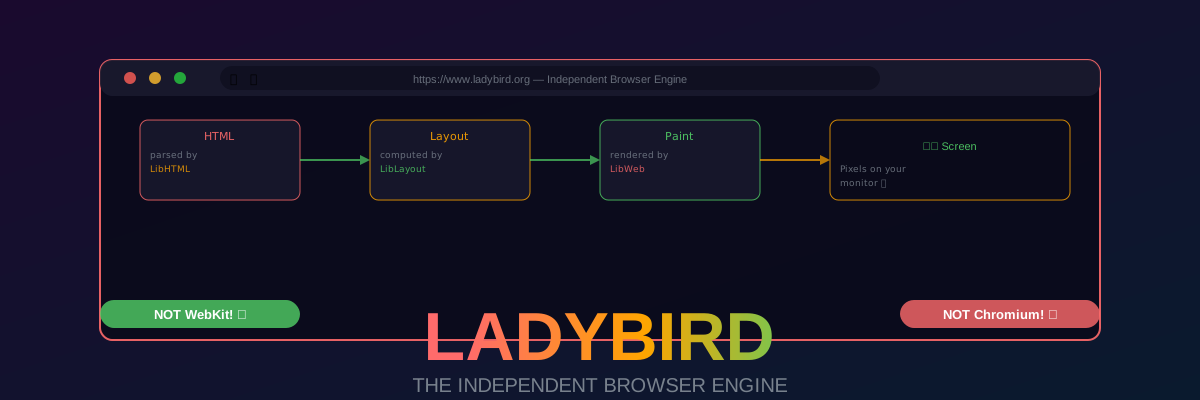
Enter Ladybird. It’s a completely new browser engine, written from scratch in C++, that doesn’t use any Chromium or WebKit code. It’s being built by Andreas Kling (the SerenityOS guy) and a team of ~200 open-source contributors.
As of May 2026, Ladybird has 25,000+ GitHub stars and can actually render Hacker News (with a few CSS glitches). It’s not ready for daily use, but it’s proof that you can build a new browser engine in 2026 without being Google.
Also, can we talk about how brave this project is? Building a new browser engine is like deciding to build a new operating system. It’s a 10-year commitment, minimum. Andreas is literally building the future of the web in his spare time. Respect.
What Is Ladybird, Exactly?
Ladybird is two things:
- A browser engine (LibWeb + LibJS + LibCSS + LibLayout) — the core code that parses HTML, executes JavaScript, applies CSS, and renders pixels.
- A browser application (Ladybird) — the GUI that wraps the engine, with tabs, bookmarks, DevTools, etc.
The key difference from Chrome/Firefox/Safari: Ladybird shares zero code with any existing browser engine. It’s not a fork of Chromium. It’s not a fork of WebKit. It’s entirely new code.
The Architecture (Simplified)
1 | Your HTML/CSS/JS |
Each of these is a separate library that can (theoretically) be used independently. Want to use LibJS as your JavaScript engine in your own project? Go for it (once the API stabilizes).
Why Build a New Browser Engine? (Is Andreas Kling Crazy?)
Yes, probably. But also, there are legitimate reasons:
1. Browser Engine Diversity Is Critical for the Web
If 90% of browsers use Chromium, Google effectively controls web standards. They can push standards that benefit Chrome, and everyone else has to follow or break.
Remember when Google tried to push alt-svc as a standard, and it was basically only useful for Google services? Or when they deprecated JPEG-XL in Chrome, effectively killing it for the web? That’s what happens with a monopoly.
Ladybird is insurance. If Chromium ever goes Full Evil™, there’s an independent engine that can keep the web open.
2. Existing Engines Are Massive and Unapproachable
Chromium is ~30 million lines of code. WebKit is ~3 million. Good luck trying to understand how they work — the learning curve is vertical.
Ladybird’s codebase is ~500,000 lines (and growing), and it’s designed to be readable. Andreas prioritizes code clarity over optimization. You can actually understand how the layout algorithm works by reading the code.
3. SerenityOS Needs a Browser
Andreas is also building SerenityOS (a hobby operating system). SerenityOS needs a browser, and porting Chromium is impossible (it has too many Linux/Windows/macOS dependencies). So he built Ladybird to be cross-platform.
4. It’s a Fun Challenge
Building a browser engine is one of the hardest engineering challenges out there. It involves:
- Parsing (HTML, CSS, JS)
- Compiler engineering (JIT for JavaScript)
- Graphics (GPU-accelerated rendering)
- Networking (HTTP/3, TLS, QUIC)
- Security (sandboxing, site isolation)
If you’re a nerd like Andreas, this is the ultimate puzzle.
Technical Deep Dive (Buckle Up, It’s Gonna Get Nerdy)
LibWeb: The HTML Parser and DOM Implementation
LibWeb is responsible for:
- Parsing HTML into a DOM tree (the in-memory representation of your page).
- Managing the DOM (queries like
document.getElementById()). - Event handling (clicks, scrolls, keyboard input).
- Networking (fetching resources — HTML, CSS, images, etc.).
How HTML parsing works (simplified):
- LibWeb receives raw HTML bytes from the network.
- It runs the bytes through a tokenizer (state machine that recognizes tags, attributes, text nodes).
- The tokens go to a tree constructor (builds the DOM tree according to the HTML spec).
- The DOM tree is handed to LibCSS for style calculation.
The crazy part: Andreas implemented the entire HTML spec parsing algorithm. That’s right — Ladybird parses HTML exactly according to the spec, including all the edge cases (like <table> parsing, which is a nightmare). You can read the HTML spec, then read LibWeb’s code, and they match.
LibCSS: The CSS Engine
LibCSS is responsible for:
- Parsing CSS into a stylesheet object model.
- Style calculation (which CSS rules apply to which DOM nodes).
- The cascade (resolving conflicting CSS rules).
How style calculation works (simplified):
- LibCSS parses your CSS into a list of rules.
- For each DOM node, it finds all rules that match (using selectors).
- It sorts the matching rules by specificity (the cascade).
- It computes the final styles (resolving
emtopx,autoto actual values, etc.). - The computed styles are handed to LibLayout.
The crazy part: LibCSS implements the entire CSS cascade, including @media queries, @supports, @layer, and CSS custom properties (var()). It’s a complete CSS engine (though some newer CSS features are still being implemented).
LibLayout: The Layout Engine
LibLayout is where the magic happens. It takes the DOM + computed styles and figures out where every pixel goes.
How layout works (simplified):
- LibLayout traverses the DOM tree.
- For each node, it computes a layout box (position, width, height).
- It handles normal flow (block/inline layout), flexbox, grid, positioning (relative/absolute/fixed), floats, and tables.
- The layout tree is handed to LibWeb’s painting code.
The crazy part: Layout is hard. The CSS spec for layout is ~500 pages. Andreas implemented the entire flexbox spec, most of grid, and a surprising amount of the tables spec. Ladybird can actually render complex flexbox layouts correctly (most of the time).
LibJS: The JavaScript Engine
LibJS is the JavaScript engine. It:
- Parses JS into an AST (abstract syntax tree).
- Compiles JS to bytecode (a custom bytecode format).
- Executes the bytecode in a virtual machine (VM).
- Optimizes hot code (JIT compilation — work in progress).
How JS execution works (simplified):
- Your JS code is parsed into an AST.
- The AST is compiled to LibJS bytecode.
- The bytecode is executed by the VM (a stack-based interpreter).
- If a function is called 1000+ times, LibJS JIT-compiles it to native machine code (x86_64/ARM64).
The crazy part: Andreas wrote a complete ES2023 implementation. LibJS passes ~85% of the ECMAScript test suite. It supports async/await, Promise, Proxy, Reflect, Intl, and pretty much everything except the newest ES2024 features.
Performance: LibJS is slow. Like, 10x slower than V8 (Chrome’s JS engine). But it’s getting faster every month. Andreas recently implemented a JIT compiler, and it’s already 3x faster than the interpreter.
LibGfx: The Graphics Library
LibGfx handles actual pixel rendering. It:
- Paints the layout tree to a pixel buffer (software rendering, for now).
- Composites layers (for
position: fixed,transform, etc.). - Handles fonts (rasterizing glyphs).
- Handles images (PNG, JPEG, GIF, WebP, AVIF).
Current status: LibGfx is software-rendered (CPU only). GPU acceleration is work in progress. Once it lands, Ladybird will be much faster at rendering complex pages.
Current Status (Can You Daily Drive It?)
Yes, you can render Hacker News! (With a few CSS glitches.)
Here’s what works (as of May 2026):
- ✅ HTML parsing: Complete (implements the full spec).
- ✅ CSS parsing: Complete (implements CSS2.1 + most of CSS3).
- ✅ Layout: Flexbox works, grid works (mostly), tables work (mostly).
- ✅ JavaScript: ES2023 support (~85% complete).
- ✅ Networking: HTTP/1.1, HTTP/2, TLS (via LibTLS).
- ✅ Images: PNG, JPEG, GIF, WebP, SVG (basic).
- ✅ DevTools: Basic (inspect DOM, view console logs).
- ⚠️ Performance: Slow (LibJS is 10x slower than V8).
- ⚠️ Site compatibility: ~40% of sites render correctly.
- ❌ GPU acceleration: Not yet (WIP).
- ❌ WebAssembly: Not yet.
- ❌ WebRTC, WebGL, WebGPU: Not yet.
Can you daily drive it? No. It crashes on complex sites, JS is slow, and many sites look broken. But for simple sites (Hacker News, Wikipedia, your own HTML files), it works surprisingly well.
How to Build Ladybird (It Takes 30 Minutes on a Good Machine)
Prerequisites
You need:
- C++20 compiler (GCC 13+, Clang 16+, or MSVC 2022).
- CMake 3.25+.
- Ninja (build system).
- Python 3.9+ (for build scripts).
- About 10GB of disk space (for dependencies).
Building on macOS/Linux
1 | # Clone the repo (it's a monorepo) |
Building on Windows
1 | # Install Visual Studio 2022 (with C++ desktop development workload) |
Pro tip: Use cmake -S . -B Build -G Ninja -DCMAKE_BUILD_TYPE=Debug if you want to contribute code — it enables assertions and debug symbols.
Ladybird vs. The World (Comparisons That Will Make Browser Engineers Angry)
Ladybird vs. Chromium
| Feature | Ladybird | Chromium |
|---|---|---|
| Codebase size | ~500k lines | ~30M lines |
| Memory usage | ~200MB (simple page) | ~500MB (simple page) |
| JS performance | Slow (LibJS) | Fast (V8) |
| Site compatibility | ~40% | ~99% |
| Code readability | High | Low (legacy everywhere) |
| Independent | Yes | No (controlled by Google) |
Verdict: Chromium is production-ready. Ladybird is a science project. But Ladybird’s code is beautiful and hackable.
Ladybird vs. WebKit (Safari)
| Feature | Ladybird | WebKit |
|---|---|---|
| Codebase size | ~500k lines | ~3M lines |
| Memory usage | ~200MB | ~300MB |
| JS performance | Slow (LibJS) | Fast (JavaScriptCore) |
| Site compatibility | ~40% | ~95% |
| Independent | Yes | Somewhat (controlled by Apple) |
Verdict: WebKit is production-ready. Ladybird is not. But Ladybird is fully independent (WebKit still has Apple’s interests in mind).
Ladybird vs. Gecko (Firefox)
| Feature | Ladybird | Gecko |
|---|---|---|
| Codebase size | ~500k lines | ~10M lines |
| Memory usage | ~200MB | ~400MB |
| JS performance | Slow (LibJS) | Fast (SpiderMonkey) |
| Site compatibility | ~40% | ~98% |
| Independent | Yes | Yes (Mozilla is a non-profit) |
Verdict: Gecko is production-ready. Ladybird is not. But Ladybird’s code is much easier to understand.
The “Gotchas” (Because This Is a 10-Year Project)
It’s gonna be slow for a long time. LibJS is 10x slower than V8. The JIT compiler is WIP. Don’t expect fast page loads for another 2 years.
Site compatibility is ~40%. Most sites will look broken. GitHub works (mostly), Hacker News works, Wikipedia works. Anything with complex JS (React, Vue, etc.) will probably crash.
No extensions. There’s no extension API yet. You can’t install ad-blockers, password managers, etc. Andreas says extensions are a 2027 goal.
DevTools are basic. You can inspect the DOM and view console logs. That’s it. No network tab, no performance profiler, no debugger (yet).
No mobile version. Ladybird only runs on desktop (macOS, Linux, Windows). Mobile is a 2028 goal (maybe).
It might fail. Building a browser engine is hard. Andreas might run out of funding (Ladybird is funded by donations). Or he might get bored. Or Real Life™ might get in the way. I really hope it doesn’t fail, but let’s be realistic.
Should You Actually Use It? (The Honest Answer)
No, not for daily use. It’s not ready. Sites will look broken, JS will be slow, and you’ll get frustrated.
But you should support it! Donate to Ladybird: ladybird.org/donate. Or contribute code if you know C++. Or just star the repo and spread the word.
The web needs browser engine diversity. Chrome’s monopoly is bad for developers, bad for users, and bad for the web. Ladybird is the only project that has a real chance of breaking the monopoly.
Final Thoughts (And a Plea for Funding)
Ladybird is the bravest open-source project I’ve ever seen. Andreas Kling is building a browser engine from scratch, with no corporate backing, no VC funding, just donations and pure nerd energy.
It’s not ready for daily use. It might never be. But it’s proof that you can build a new browser engine in 2026. And that’s important.
If you’re a developer, try building Ladybird from source. The code is beautiful. You’ll learn more about how browsers work in 2 hours of reading LibWeb’s code than in 2 years of using Chrome.
Now if you’ll excuse me, I need to go fix a CSS flexbox bug in Ladybird. Just kidding — I’m not smart enough to understand LibLayout’s code. Yet.
P.S. Yes, I know I sound like a shill. I’m not affiliated with Ladybird in any way — I just really want the web to have more than 2 browser engines.
P.P.S. 25,000+ GitHub stars don’t lie. Go star it at github.com/LadybirdBrowser/ladybird and donate if you can. Andreas is literally building the future of the web.
P.P.P.S. If you’re a Google Chrome developer reading this: I’m sorry (but not really). Ladybird is coming for your monopoly. And it’s gonna be beautiful.




